
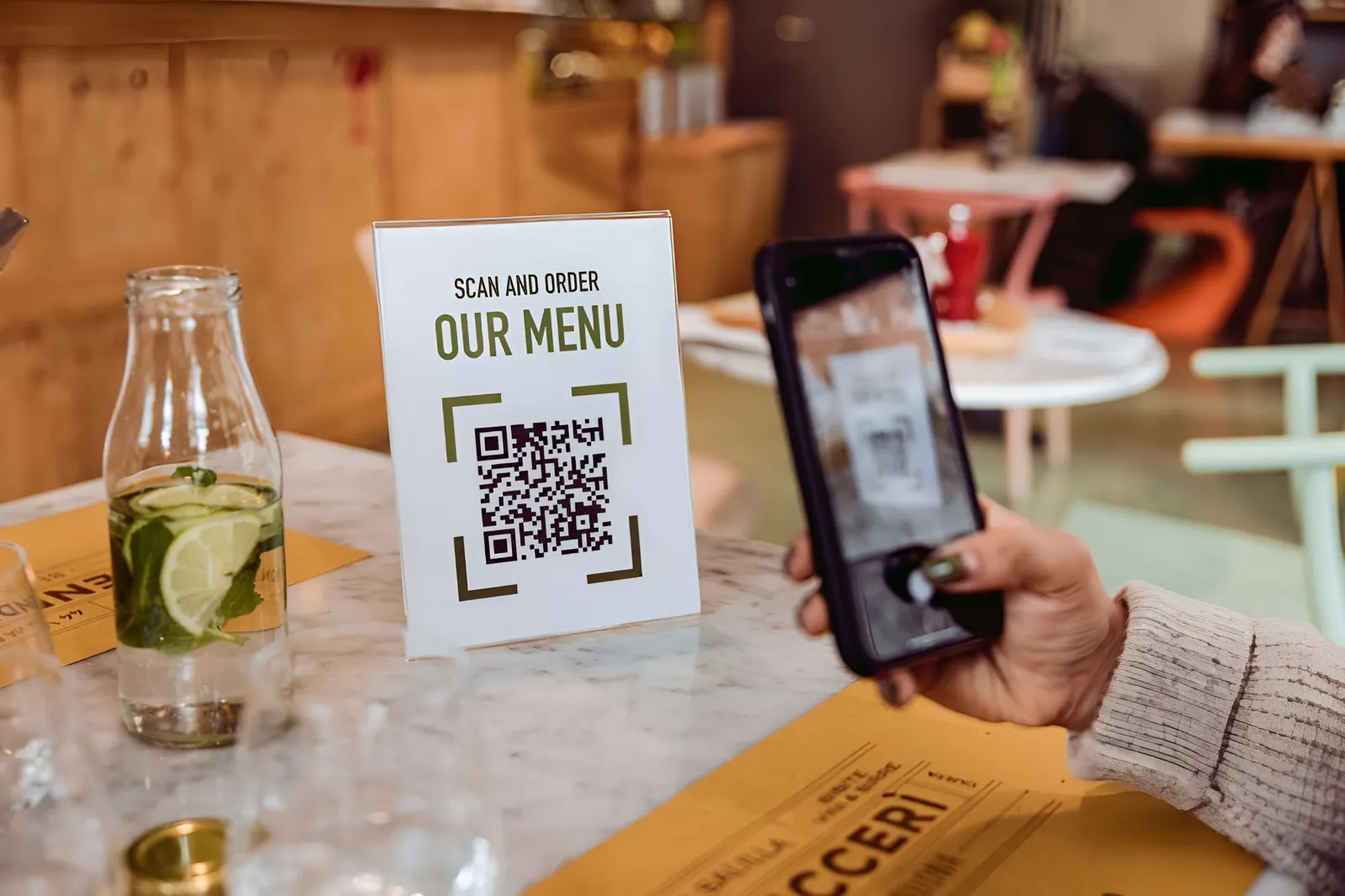
Restaurants and bars use QR codes mainly for menus: a guest scans the code on the table and the current menu opens on their phone. The same kind of code can also open table ordering and payment, a waitlist or a reservation page, a takeout menu, or a feedback form. Below is how each use works and where to put the codes.
QR codes show up everywhere from sports bars to fine dining, and the same ideas apply to pubs, hotel restaurants, stadium kiosks and cinema bars.
What a QR code is
A QR code is a 2D matrix code. Unlike a regular barcode, it stores data both horizontally and vertically, so it can hold a full web address and still scan quickly. Current iPhones and Android phones read QR codes with the built-in camera app, so guests don't need to install anything.
How QR code ordering works in a restaurant

A plain menu QR code only shows the menu. If you use an ordering system, the process usually looks like this:
- A guest sits down and scans the QR code on the table to open the digital menu.
- Depending on the system, the code is unique to that table, or the guest enters the table number.
- The guest adds dishes to a cart and sends the order straight to the kitchen printer or kitchen display system.
- Some systems let guests open a tab with a pre-authorised credit card, keep ordering through the meal and pay on their phone at the end. The pre-authorisation lets the restaurant close the check from the POS if a guest forgets.
Ordering and payment run on your POS or ordering provider. A QR code generator only creates the code that opens it.
Ways to use QR codes in a restaurant or bar
Share the menu
A menu QR code on table tents, the storefront poster or a card at the bar lets guests read the menu without waiting for a printed copy, and you print fewer single-use paper menus. Use a dynamic QR code: it contains a short link, so you can switch to a new menu file or page without reprinting the code.
Let guests join the waitlist
Post a waitlist QR code at the entrance and in the window. Guests join your online waitlist from their phone, see their place in line and get a text when their table is ready, which keeps the host stand less crowded.
Show opening hours, dress code and other details
Link a code in the window to your restaurant profile or a mobile page with your opening hours and dress code, plus your address and a call button. Passers-by get the information even when you're closed. In QR Cloud you can build such a page as a QR Page with links, contact buttons and an appointment calendar.
Take reservations
Send returning guests to the reservation link on your website or booking platform. Print the code on business cards and promotional material, add a flyer to takeout bags and put it in the window so people can book whenever suits them. Hotel restaurants can place the same code at the front desk and in guest rooms.
Promote takeout and delivery
A QR code at the entrance, on the window and in your email newsletter can link straight to your takeout or delivery ordering page, so guests who liked the meal can order from home next time.
Ask for feedback and reviews
Most guests who enjoyed their meal never leave a review because it takes too many taps. Put a code on the bill folder or receipt that links to a short survey or your Google review form. For more ideas, read how to hear from customers with QR codes.
QR Cloud's QR Reviews opens a star-rating page first: 4 to 5 stars go to your Google review form in one tap, lower ratings can send private feedback to you by e-mail, and every guest can still choose to post a public review. Don't offer discounts or free drinks in exchange for reviews; Google's policies prohibit it.
Show your dishes and your story
Photos clutter a printed menu. A QR code can link to pictures of your best sellers, a behind-the-scenes video from the kitchen or the story of your restaurant.
Grow your social media following
Link a code to your Instagram, Facebook or Yelp page and ask guests to post photos of their meal. A QR Page can collect all your profiles in one place.
Games, quizzes and contests
Some bars link a QR code to a browser game, a pub quiz or a prize draw that guests can enter while they wait. Check your local rules on contests before offering prizes.
Why use a QR code menu
Lower printing costs
If your menu changes often, every new dish or sold-out item means reprinting. With a QR code that opens a digital menu, you change the file or page and the printed code stays the same.
Updates in minutes
When the kitchen runs out of something, remove it from the digital menu right away instead of telling every table.
Less waiting for staff
Guests can read the menu, and with an ordering system order and pay, without waiting for a server. Staff still bring the food, but spend less time running menus and card terminals.
Relaxed upselling
Some guests find face-to-face upselling awkward. On a digital menu they can take their time, look at photos and add a side or a dessert without feeling rushed.
A menu designed for phones
A digital menu can highlight popular items and keep categories short so guests find dishes quickly on a small screen.
Where to start
Begin with one code: the menu on every table, created as a dynamic QR code so you can change the menu later. Then add a code for reviews on the bill folder and one for reservations in the window. Track the scans of each code to see which placements guests actually use, and test every code with an iPhone and an Android phone before printing.


