New QR Reviews
More 5-star reviews. One scan away.
Put a QR code on the table, the counter or the receipt. Guests tap a star and land on your Google or Tripadvisor review page in one tap. If something went wrong, they can tell you privately — before they tell the internet.
Free for 1 location. No app for your guests. Live in 2 minutes.
How it works
Ask at the right moment. Let the happy ones speak.
Most satisfied guests never write a review — simply because nobody asked. QR Reviews asks for you, right when the experience is fresh.
-
 1
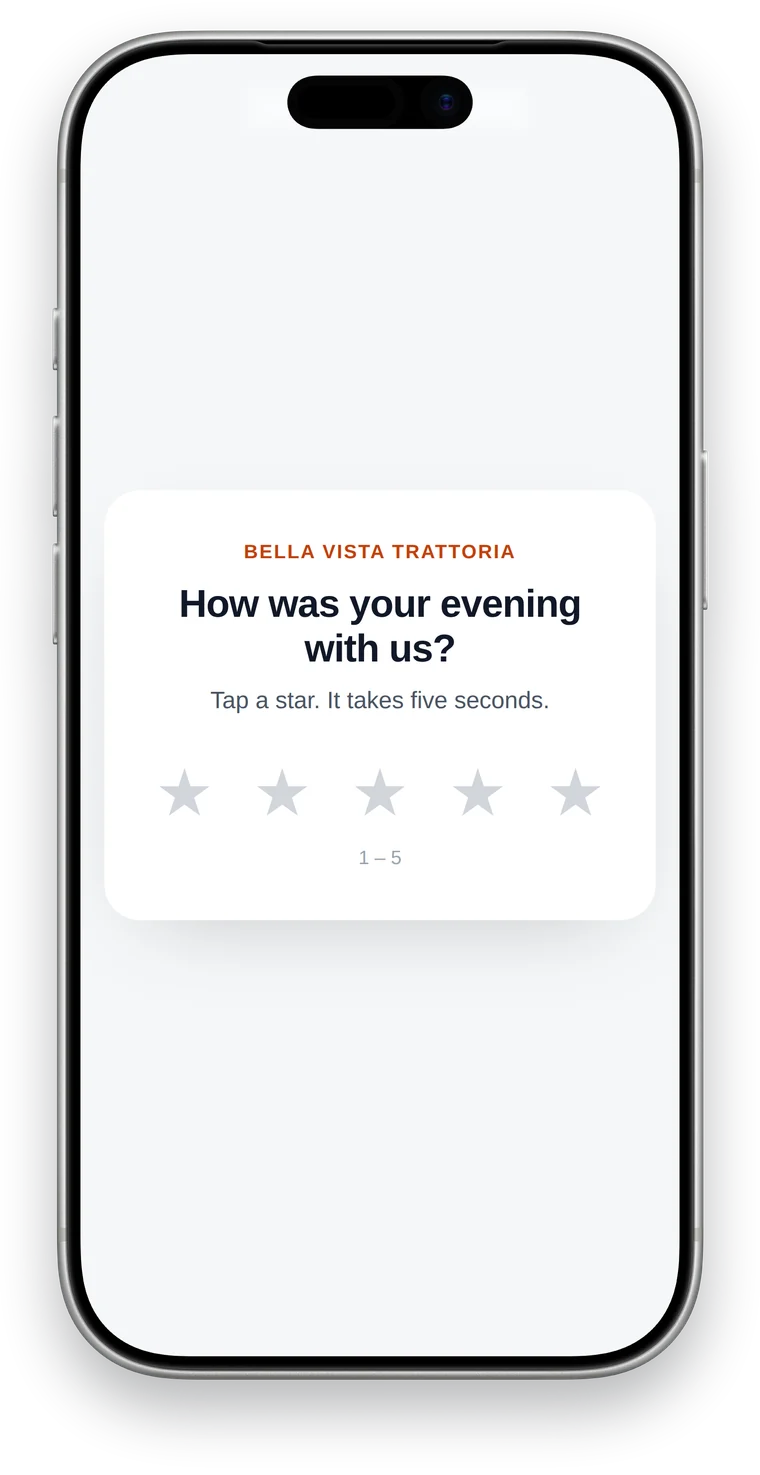
Guest scans and taps a star
Your QR code opens a mobile page in your colours. No app, no account, no typing — one tap.
-
 2
Happy guests go public
4 or 5 stars? They land straight on your Google review form — or choose between Google, Tripadvisor and more.
-
 3
Problems reach you first
Not quite happy? A short form sends the feedback straight to your inbox, so you can make it right and reply personally.
Statistics
See what every table, shop and receipt brings in.
Every QR Review has its own statistics — just like your QR links. Compare locations, spot slow days and read every piece of private feedback in one place.
- Scans, ratings and average stars per day
- Star distribution and how many went to Google
- Private feedback with optional contact details
- Countries of your visitors
- E-mail alert for every private feedback
Example data
Made for local businesses
Wherever people experience your service.
Restaurants & cafés
On the table, the menu or the bill folder.
Hotels & holiday rentals
In the room, at check-out, in the welcome guide.
Salons & barbers
At the mirror or the counter, while the new look is fresh.
Practices & clinics
On the appointment card or in the waiting room.
Shops & showrooms
On the receipt, the bag or the packaging.
Trades & services
On the invoice or a sticker after the job.
Setup
Live before your coffee gets cold.
- Paste your review linkYour Google review link (from your Google Business Profile → “Ask for reviews”), Tripadvisor or any other platform.
- Pick colours and textsYour business name, your colour, your question. English and German are detected automatically.
- Print the QR codeCreate a branded QR code with one click and put it wherever guests are happy.
Pricing
Included in every QR Cloud plan.
Free: 1 QR Review · Pro: 10 QR Reviews · Expert: unlimited. Plus everything else in QR Cloud — dynamic QR codes, QR Pages and statistics.
FAQ
Questions about QR Reviews
Do my guests need an app or an account?
No. The QR code opens a normal web page in the phone's camera app. Tapping a star is all they do; leaving the Google review happens in their usual Google account.
Where do I find my Google review link?
Open your Google Business Profile, click “Ask for reviews” and copy the link. Paste it into your QR Review — done.
Can I send guests to more than one platform?
Yes. Add up to three platforms, for example Google, Tripadvisor and Facebook. With one platform, happy guests go there directly; with several, they choose.
Which ratings go public and which come to me?
You decide. By default 4–5 stars lead to the review platforms and 1–3 stars to the private feedback form. You can change both thresholds per QR Review.
How do I get notified about feedback?
Every private feedback is sent to your e-mail address instantly and is also stored in your QR Review statistics.
Is it GDPR compliant?
QR Cloud is operated by RiTZELMUt Ventures GmbH in Germany and hosted in Germany. IP addresses are only stored as anonymous daily hashes, and contact details only if a guest enters them voluntarily.
Can I change the review link after printing?
Yes. The QR code always points to your QR Review page, so you can change platforms, texts and colours at any time without reprinting.
Your next 5-star review is sitting at table 4.
Create your first QR Review in two minutes. Free for 1 location, no card required.